Invented by P J; Jose Lejin, Salesforce, Inc.
The rise of Generative AI, or GenAI, has made web apps smarter and more helpful, but it’s also opened the door to new risks—especially when it comes to keeping private data safe. A new patent application offers a clever way to stop sensitive data from slipping through GenAI-powered web apps and reaching users. In this article, we’ll break down what makes this invention special, why it matters, and how it fits into the bigger picture of web security and AI.
Background and Market Context
GenAI tools, like ChatGPT or Copilot, are now everywhere. They answer our questions, help us write, and even power friendly chatbots in web apps. But with their growing abilities, these AI systems can sometimes make mistakes—like sharing private info by accident.
Imagine you’re chatting with a help bot on a company website. You ask a normal question, but the answer you get shows something it shouldn’t—maybe a credit card number or secret company detail. That’s a real problem. Why does it happen? Because GenAI pulls from huge amounts of data, and sometimes, either by accident or on purpose, it shares things it shouldn’t.
Web apps already use tools called web application firewalls (WAFs) and gateways to keep out hackers and block bad traffic. They’re like security guards that check who goes in and out. But now, with GenAI in the mix, these guards face a new job: making sure AI-generated answers don’t spill secrets, especially after the content is “rendered”—or shown to the user inside their browser.
The market is full of efforts to scan AI outputs for sensitive data before sending them to the user. Still, clever attackers have found ways around these scans by hiding data in code or changing how it appears when displayed. Sometimes, content looks safe at first, but becomes dangerous after the browser puts all the pieces together. This means the old ways of checking content before it’s shown are no longer enough.
Companies, big and small, now face big risks: fines for privacy leaks, lost trust from users, and even threats to their business if secrets get out. The need for a better way to keep GenAI-powered web apps safe has never been clearer.
Scientific Rationale and Prior Art
Before this invention, most solutions focused on the content before it was shown to users—what we call “unrendered content.” Tools would scan the output from GenAI to look for things like credit card numbers or private info. If they found something wrong, they would block it. But attackers have learned how to hide secrets in a way that only shows up after the browser pieces everything together and displays it to a user. How do they do it? By using tricks in code, like hiding some words, mixing up text, or showing secret info only after certain actions happen in the browser.
Let’s look at an example. Imagine someone puts a piece of code into a chatbot’s answer that says, “Hide this word unless you’re showing it on the screen.” The scanning tool doesn’t see the secret, because it’s hidden in the code. But the browser, following the instructions, puts the secret together and shows it to the user. The result? Sensitive data slips past the guard.
Other attempts to fix this problem tried to make scanning tools smarter. Some checked for hidden code or tried to follow all the ways content could change. But this is hard. There are just too many ways for code to change what the user sees. Plus, scanning everything in advance can slow down the app and doesn’t always catch every trick.
There are also tools that scan images and text, but they usually work on what is sent, not what is finally shown. None of these solutions truly look at the “rendered” content—the actual thing the user sees after all the scripts and browser magic are done. This gap leaves a big hole in security.
The new approach in this patent solves that gap. Instead of just looking at the data before it’s shown, it checks the final, rendered content—what the user would actually see. By doing this, it finds secrets that only appear after all the code has run and the browser has finished its work.
Invention Description and Key Innovations
Let’s walk through how this invention works, step by step, in simple words.
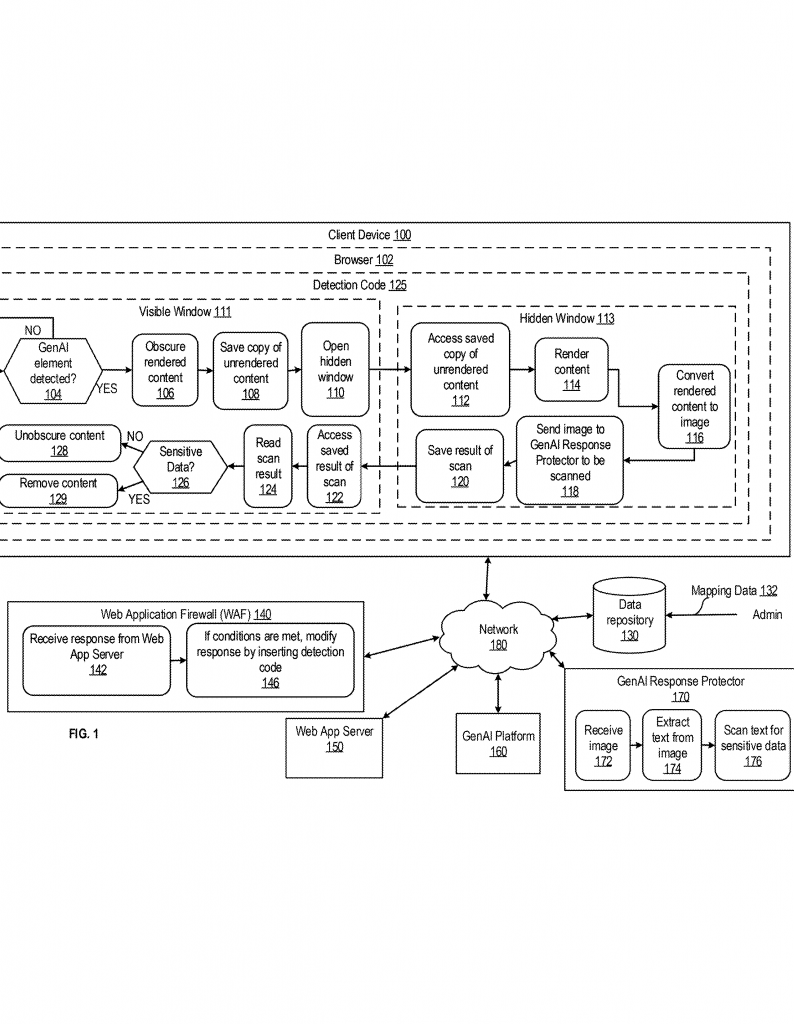
First, web apps talk to users through browsers. When a user asks for something—like clicking a button or sending a message—the web app gets this request and gets ready to send back a response. This response might have GenAI-generated content, like an answer from a chatbot.
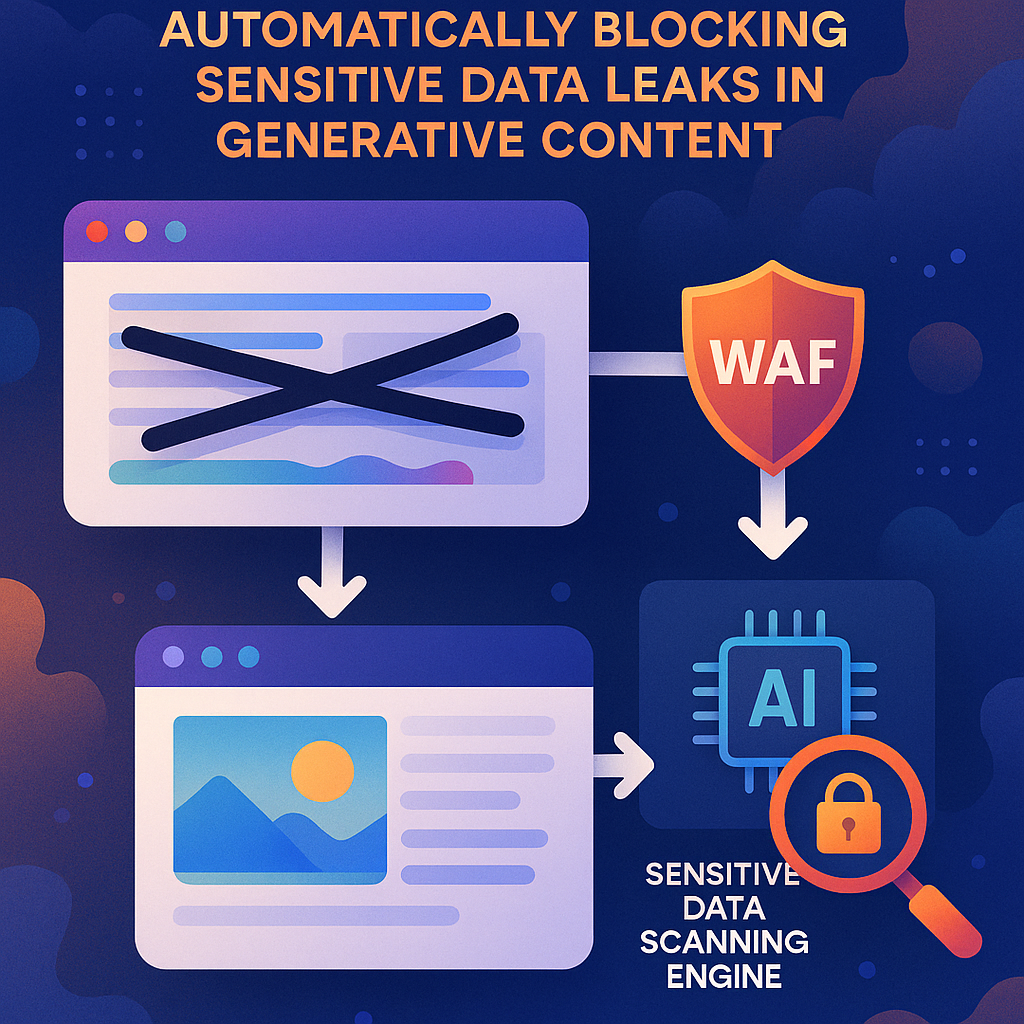
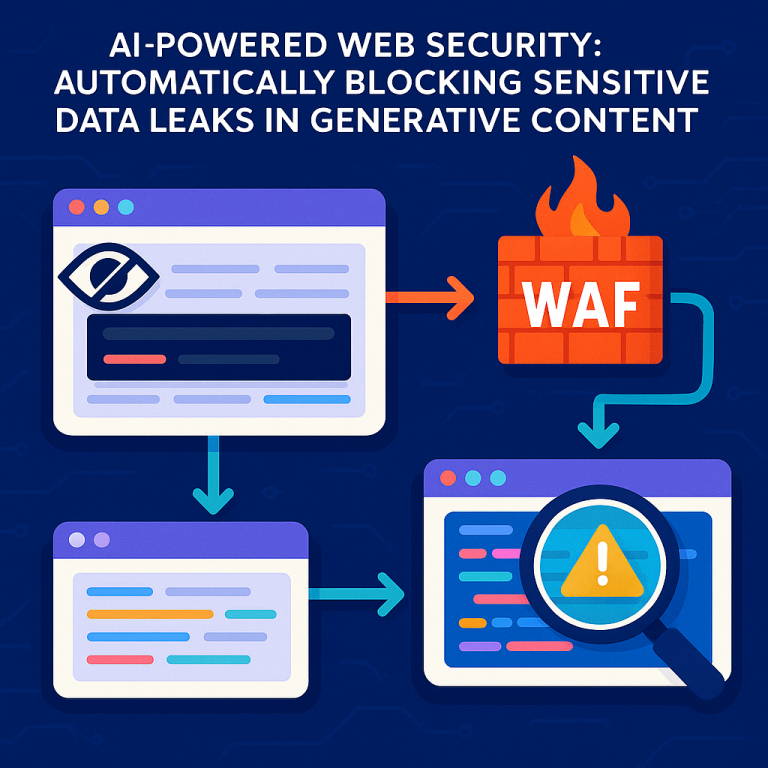
Before the response reaches the user’s browser, it passes through a web application firewall (WAF) or gateway. This is where the magic happens. The WAF checks if the response could have GenAI content. If so, it adds a special piece of code—let’s call it “detection code”—into the response.
When the browser gets this response and loads the page, the detection code starts working. Here’s what it does:
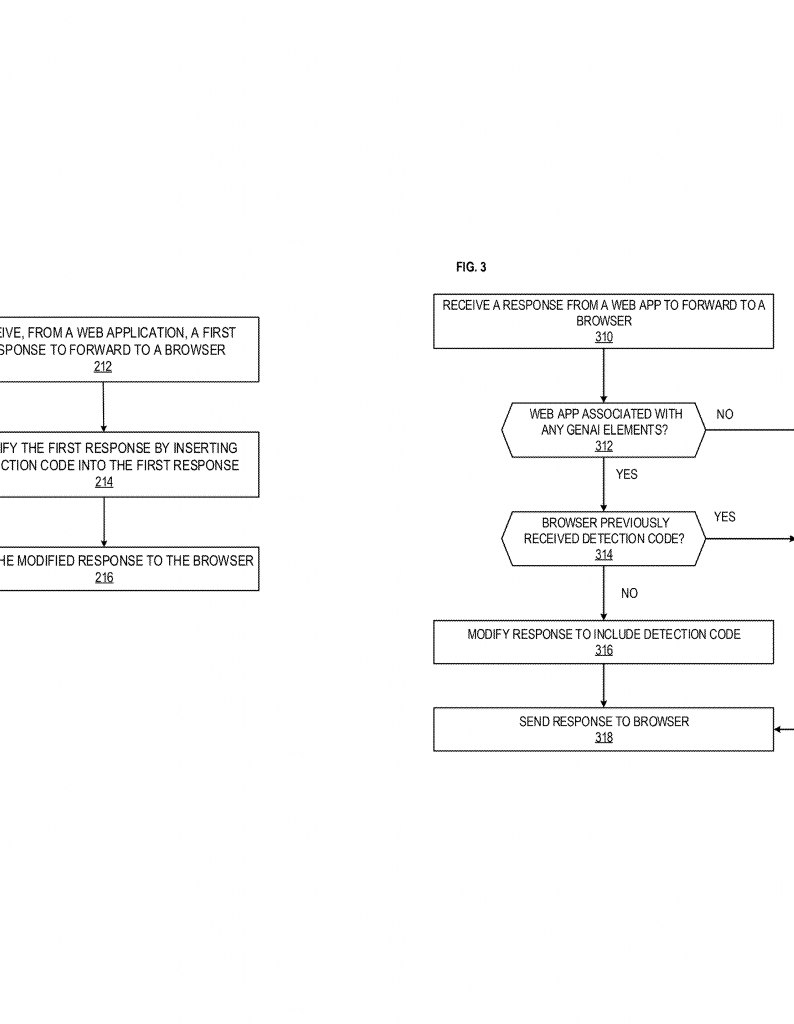
First, it watches the page to see if GenAI content is about to be shown. If it finds such content, it does something clever: it hides the GenAI content in the visible browser window. This means the user can’t read it right away. At the same time, the detection code quietly opens a second, hidden browser window—so small it’s invisible.
In this hidden window, the code “renders” the GenAI content, just like it would appear to a user. It then takes a picture of this content by turning it into an image. This image is sent to a special scanning service, which looks for sensitive data—like credit card numbers, private information, or secrets.
The scanner checks the image, extracts any text it sees, and looks for signs that sensitive data is present. If the scanner gives the all-clear, the detection code in the browser “unhides” the GenAI content in the visible window, letting the user see it. But if the scanner spots something risky, the content stays hidden, or is even removed, so the user never sees the secret info.
What’s special here is that scanning happens on the final, rendered content—the real thing the user would see. This makes it much harder for bad actors to sneak secrets past the guard using code tricks. Even if the secret is hidden in the code, if it appears on the screen, the scanner will catch it before it reaches the user.
Another smart detail: the detection code only needs to be sent once per browser session. After that, it keeps watching for new GenAI content in the background, always ready to repeat the process. This keeps the user experience smooth and fast.
The invention can also tell whether the detection code has already been sent, saving time and resources. It can work with different browsers, on different devices, and doesn’t depend on any one GenAI platform. It doesn’t matter if the GenAI tool, the scanning service, and the web app are owned by different companies. This makes it very flexible and easy to add to many web apps.
Another key innovation is how the system handles notifications. If sensitive data is found, the system can alert an admin, helping companies fix the problem quickly and learn from it.
All of this happens quietly, without users needing to do anything. The process is seamless—and it protects everyone from the risk of accidental or sneaky data leaks from GenAI.
Conclusion
Generative AI brings amazing new abilities to web apps, but it also creates new risks. Old ways of checking for sensitive data can be fooled by code tricks, letting secrets slip through. This new patent application offers a simple but powerful solution: check the final content, as it appears to users, before showing it. By hiding GenAI content, scanning it in its final form, and only revealing it when it’s safe, this invention closes a big gap in web security.
For companies, this means fewer leaks, better trust, and less worry about privacy fines or lost secrets. For users, it means safer AI-powered experiences. The beauty of this approach is its simplicity: let the browser do its job, but keep a smart guard on duty, making sure nothing sensitive ever reaches the screen unless it’s safe.
If you build or run web apps with GenAI, or you care about keeping data safe, this new approach is worth watching. It’s a big step forward in keeping AI smart—and secure.
Click here https://ppubs.uspto.gov/pubwebapp/ and search 20250365338.