Invented by Couleaud; Jean-Yves, Harb; Reda

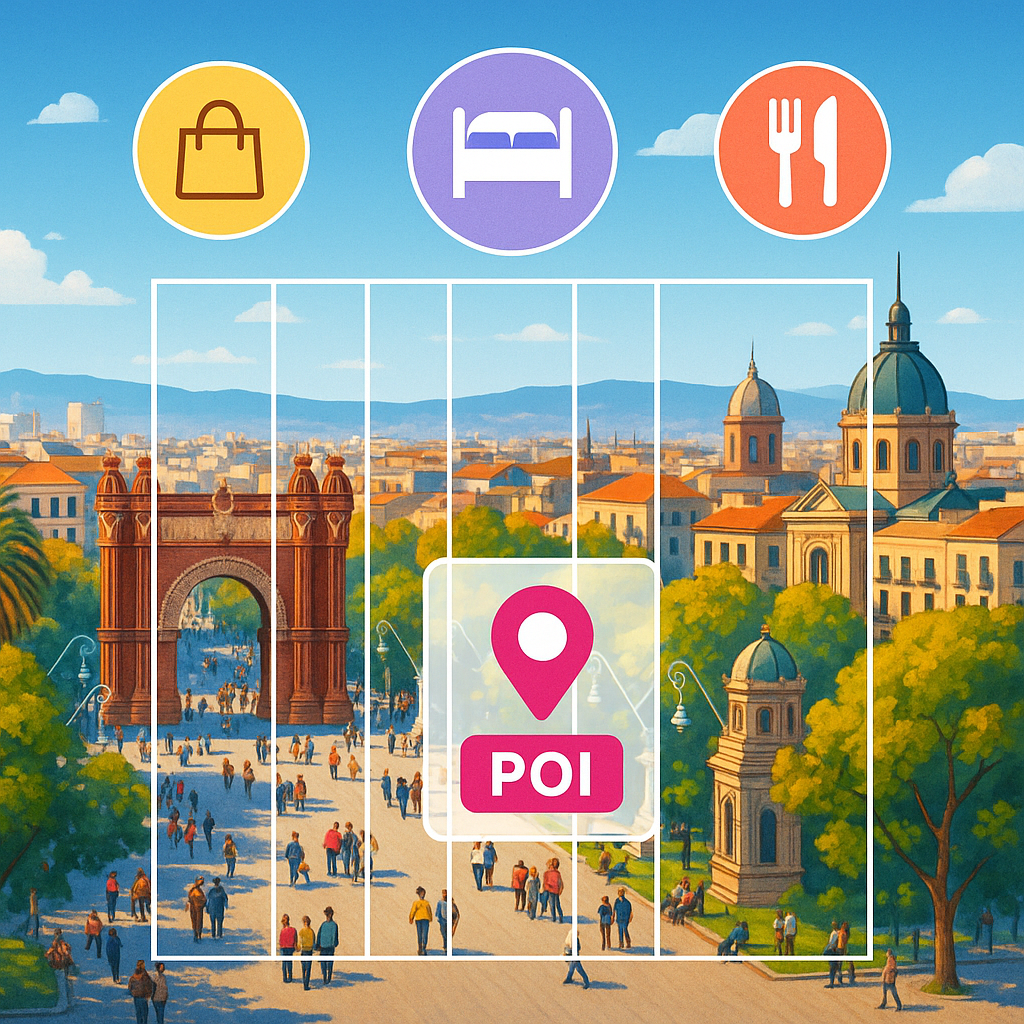
Ever take a stunning photo of a mountain range, only to wonder, “What peaks am I really looking at?” Or maybe you wanted to share a cool spot with friends, but your phone only tagged the city, not the actual landmark in your shot. Today, we’re diving into a new patent application that aims to solve this problem by making it easy to identify and label points of interest (POIs) in your images—automatically, right on your device. Let’s break down what this tech means, why it’s important, how it works, and what makes it unique.
Background and Market Context
We all take photos. Whether it’s with a smartphone, a digital camera, or even a drone, snapping pictures has become second nature. People share these images on social media, store them in digital libraries, and even use them in virtual tours. But there’s a problem: most photos only have basic location tags, called geotags, which record latitude and longitude. These tags don’t always tell the full story of what’s in your picture. For example, if you stand in a park and take a photo of a famous building nearby, your phone might only label the park, not the building itself. This can make it confusing for friends, family, and even for your own memories later on.
Social media companies and tech giants have tried to fix this. Some use object recognition to spot famous landmarks. Others let you type in captions or labels by hand. But these approaches have big gaps. Object recognition can get confused between similar-looking places, especially in nature. Manual labeling is time-consuming and not always accurate. What’s really needed is a way to automatically and reliably identify the main features in a photo—without depending on a huge database of pre-tagged images.
As people travel more, share more, and expect smarter digital experiences, the demand for automatic landmark labeling has grown. Imagine posting a photo and having the app instantly say, “That’s Mount Baldy, not just Angeles National Forest.” Or picture a virtual tour app that can show you not just where you are, but what you’re looking at, even in remote places. The market is hungry for a tool that can bridge the gap between simple geotags and detailed, accurate place information—especially outdoors, where traditional city-based solutions fall short.

This patent application tackles this challenge. It offers a way to overlay detailed POI information on images—whether you’re taking a live shot or uploading an old photo. The tech aims to work outdoors, in wide-angle scenes, and even where there’s no internet. For device makers, social media platforms, and mapping apps, this could be a major competitive advantage. It turns ordinary photos into interactive guides, makes sharing more engaging, and could open up new ways to explore the world, both in-person and virtually.
Scientific Rationale and Prior Art
To understand why this invention matters, let’s look at how things have worked so far. Traditional geotagging simply stamps a location onto a photo, but it can’t tell what’s actually in the picture. Object recognition has made some headway—think of your phone recognizing the Eiffel Tower—but it needs lots of training data and often struggles with natural features. For example, mountains, lakes, or coastlines may look similar from different angles, making them hard to tell apart.
Some existing solutions ask users to type in captions or labels. This helps, but not everyone wants to take the time, and mistakes are common. Other systems match photos against big databases of tagged images. This can work in cities or famous tourist spots, where there are lots of photos to compare. But in remote places, or when you’re offline, these methods don’t help. The need for pre-existing, labeled pictures is a big limitation—there are still many places on earth with little to no digital coverage.
Previous patents and products have tried different tricks. Some build panoramas by stitching together lots of photos, then match these against known templates. Others use augmented reality (AR) to place labels on the live camera feed, but again, they rely on having a big database of images to compare against. Some mapping apps let users download offline maps, but these usually just show roads and basic features—not detailed, image-specific POI overlays.
The big challenge is matching what’s in the photo to real-world features, especially when you don’t have a ready-made photo of the exact same spot. Matching against a topographical map, instead of a photo, is one way to solve this. By using metadata like GPS location, camera direction, and elevation, you can figure out what’s likely in view—even if no one has uploaded a similar photo before. But doing this quickly, on a mobile device, and making the results useful to regular people is tricky.
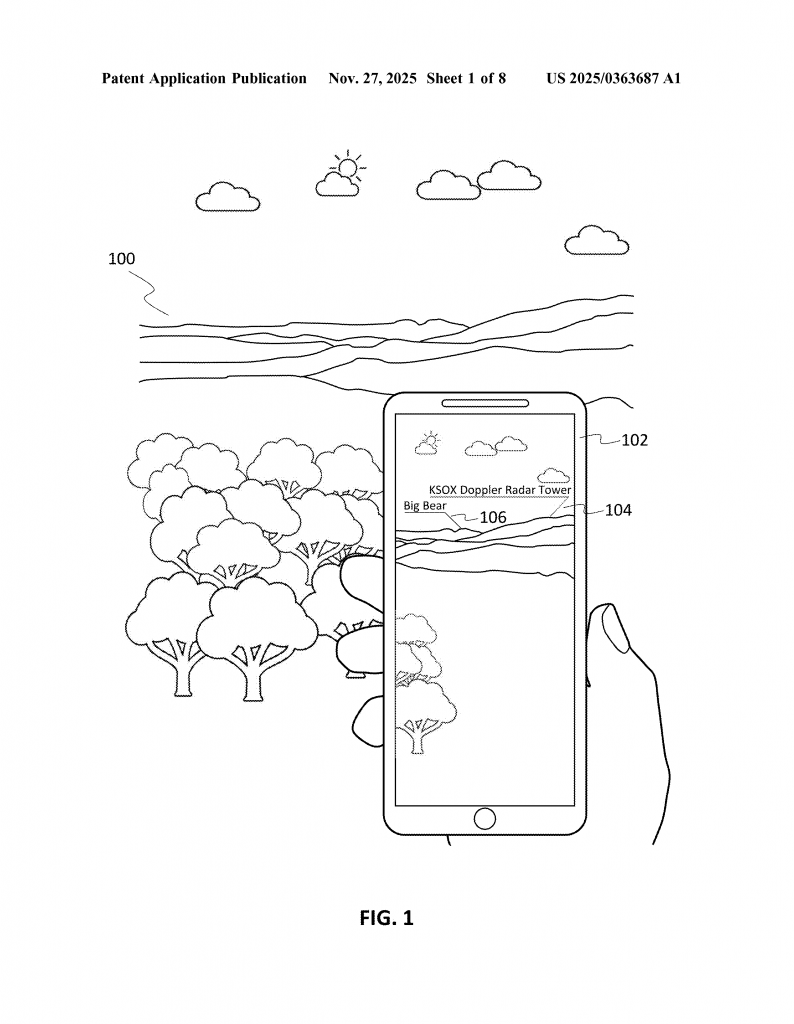
This new patent stands out because it doesn’t need a library of existing pictures. Instead, it uses smart image processing to figure out what’s in your shot, compares it with map data, and finds the likely points of interest based on the shapes and lines visible in the image. It can handle wide, outdoor scenes, such as mountain skylines, city views, or coastlines, and works with both live and stored images. This is a leap forward from earlier methods.
Invention Description and Key Innovations
The heart of this invention is a method and system that can automatically overlay point of interest (POI) labels on an image, using just the picture and some basic metadata. Here’s how it works, in simple terms:
When you take a photo (or view one you took earlier), the device first looks at the picture’s metadata. This includes things like where the photo was taken (thanks to GPS), the direction the camera was facing (from compass or other sensors), and camera settings like zoom. With this info, the device figures out what part of the world is likely shown in the photo.
Next, the system tries to find the “region of interest”—the part of the image that matters for identifying landmarks. Often, this is the area near the horizon, where mountains, skylines, or other big features appear. The device processes the image to find lines or edges that might be horizon lines, using simple filters that look for sharp changes in brightness or color. Even if the “horizon” is actually the top of a mountain range, the system can spot it.
Once the region of interest is found, the device “slices” it into parts. Imagine dividing the scene into layers or segments, each representing a certain distance from the camera. The idea is that nearer features (like hills in front) are separated from farther ones (like distant peaks). By slicing the view, the system can match each part to possible POIs in the real world.
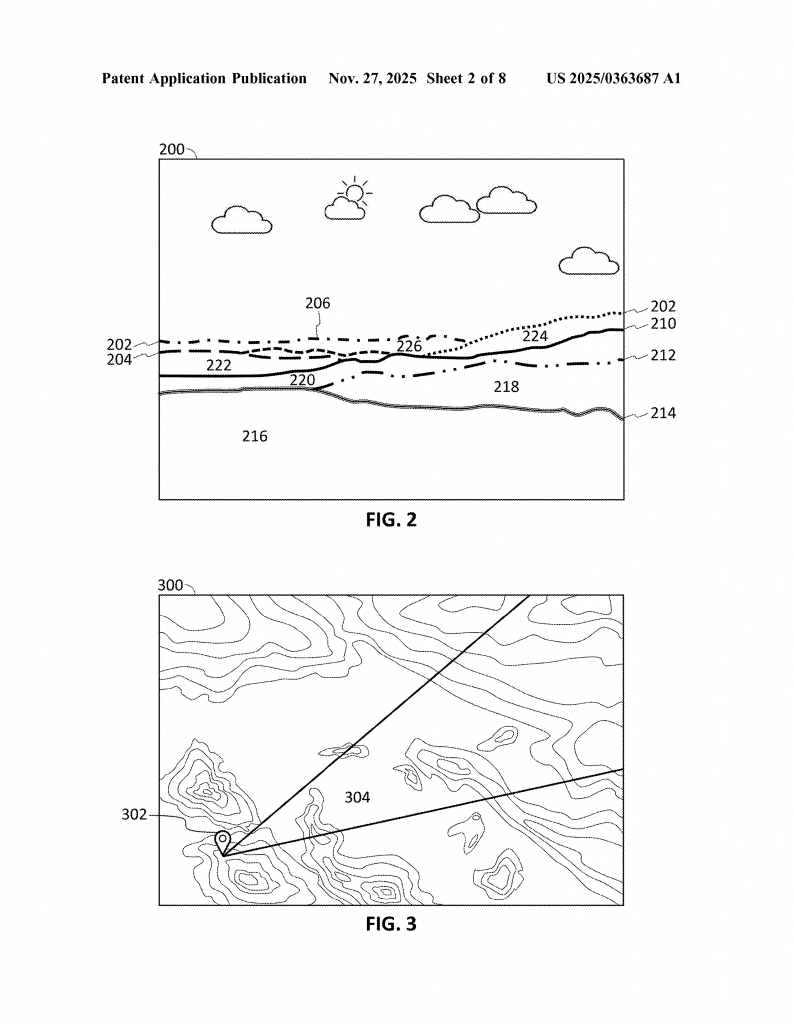
Now comes the smart part: the system compares each slice with topographical (elevation) data from a map. It knows where you are, which way you’re facing, and what the landscape looks like for many kilometers around. By matching the shapes and lines in your photo to the bumps and valleys in the map, it can figure out which mountain is which, or where the city skyline starts and ends. It doesn’t need a photo of the same scene—it just needs a map and your photo’s metadata.
When the system finds a match, it fetches information about the POIs in that slice—like names of mountains, lakes, or buildings. It then creates overlays: small labels or icons that appear directly on the image, pointing out what’s in view. These overlays are interactive. If you tap or click on them, you can see more info about the POI—maybe a 360-degree view, extra photos, or navigation directions. You can even adjust the position of the label, in case it’s not quite right, and the system learns from your correction for future images.
Everything can happen in real time—on a live camera feed—or later, when you upload or view a photo from your library. The system works offline, too, if you’ve downloaded the needed map data ahead of time. It’s designed for mobile devices like smartphones, tablets, or smart cameras, but could also work on regular computers for batch processing of photo libraries.
Another neat feature is the ability to use the identified POIs for searching. Want to find all your pictures of a certain mountain? Just type its name, and the system will scan your library, using the same method to see if that POI appears in each photo. This makes organizing and exploring your photos much easier.
This method isn’t just for still photos. It can apply overlays to live video, making it great for AR experiences, virtual tours, or even navigation help when hiking. Because it doesn’t need a pre-existing database of labeled images, it works anywhere—city or wilderness, famous site or hidden gem.
Compared to old methods, the key innovations here are:
– Using map and elevation data instead of photo databases to identify POIs
– Slicing the image based on distance and topography, not just pixels
– Real-time, on-device processing, even when offline
– Interactive overlays that let users adjust labels and get more info
– Seamless integration with photo libraries and search
This creates a much smarter, more flexible way to understand and share what’s in your images.
Conclusion
This patent application offers a new way to make images smarter. By using simple metadata and clever image processing, it can identify and label points of interest in photos—no matter where you are or what you’re shooting. It works in real time, doesn’t depend on huge photo databases, and lets users interact with overlays for a richer experience.
If you love sharing travel photos, exploring new places, or just want your digital memories to be easier to organize and understand, this technology could make a big difference. For device makers and app developers, it opens new doors for features that are both fun and practical. As more of our lives move online and into digital images, smart tools like this will help us connect with the world—and each other—in new ways.
Keep an eye out for this kind of feature in your favorite apps and devices in the future. The next time you snap a photo of a distant peak, you might just know exactly what you’re looking at—no guesswork required.
Click here https://ppubs.uspto.gov/pubwebapp/ and search 20250363687.