Invented by HASSAN; Amer Aref, THOMASIAN; Eric Edmond, ZHU; Zhen
Sometimes, your day feels like a puzzle with too many pieces. You have meeting after meeting, all stacked on top of each other. You want to say yes to everything, but there just isn’t enough time. What if you could pick the most important parts of each meeting, join just for those, and let everyone know exactly when you’ll be there? That’s what this new patent application is all about. Let’s break it down together so you can see how it works, why it matters, and what makes it different from anything else out there.
Background and Market Context
Think about a normal day at work. Most people use online calendars to plan their meetings. There are lots of tools—Google Calendar, Microsoft Outlook, and more. These tools help you set up meetings, invite others, and keep track of your day. But as more people work together online, meetings are getting crowded. Sometimes, you might even have two or three meetings at the same time. What do you do then?
Right now, if you have meetings that overlap, you have to figure it out yourself. Maybe you jump from one call to another, or you miss part of one meeting to join another. It’s messy and stressful. Calendar tools don’t make it easy. You can only click “Yes,” “No,” or “Maybe” to a meeting. If you can only join for half the time, there’s no simple way to show that. You have to email people or explain in chat, and not everyone will remember or notice.
For people with busy schedules—think managers, team leads, or anyone who helps lots of teams—this is a big problem. If you say “Yes” to everything, your calendar fills up, but you can’t really be everywhere at once. If you say “No,” you might miss out on important things. If you try to split your time, it’s hard to keep track, and it’s easy to forget where you need to be next. When people don’t know who will be in the meeting and for how long, it can make meetings less useful. People might wait for someone to join or not know when someone is leaving.
The old way of doing things just doesn’t work well anymore. We need something smarter—something that lets you say, “I’ll be at this meeting for 20 minutes,” and has your calendar and everyone else’s update to show that. That way, you can make the most of your time and help everyone plan better.
This is where the idea in this patent comes in. The new way isn’t just about blocking off time. It’s about splitting up meetings, picking the best parts to join, and letting everyone know, in real time, who will be there and for how long. It changes the way we think about meetings, calendars, and even teamwork.
Scientific Rationale and Prior Art
Let’s talk about why this invention is important and how it fits with what’s already out there.
Older calendar systems have always focused on events with a start and end time. You create a meeting, invite people, and wait for them to say “Yes” or “No.” If two meetings overlap, you have to choose. Some tools let you see when people are busy or free, but none of them make it easy to say you’ll only be at a meeting for part of the time. If you want to attend just the beginning or the end, you have to do it by hand—maybe by editing the invite or sending extra notes.
A few calendar apps tried to help with conflicts by showing colored blocks or sending reminders, but they don’t really solve the problem. They don’t let you split meetings up or show partial attendance. And even if you make your own notes, other people in the meeting might not see them. That leads to confusion and wasted time.
Some apps have tried to use artificial intelligence to predict your schedule or suggest the best time for meetings. But these tools are mostly about finding free time, not about letting you join just part of a meeting. There are no easy ways to say you’ll only join for 10 minutes, or that you’ll leave early, and have that show up for everyone else.
When you try to fix this with your own system—maybe by making two events for the same meeting or blocking off “busy” time—it gets even more confusing. You might end up double-booked, or people might not know which part of the meeting you’ll be in. Plus, your calendar gets messy, and if you use different tools for different teams, it gets even harder.
What’s missing is a simple way to split meetings, mark your attendance for just part of each, and have all that information shared with everyone else. And that’s where this invention stands out. It creates a clear way to manage both a “main” calendar with full meetings and a “secondary” calendar with just the parts you’ll attend. It also sends updates to everyone else so they know your schedule, and it helps guide you through your day so you don’t miss anything.
This is a big change from how things have worked before. It’s not just a different way to look at your calendar—it’s a whole new way to handle meetings, time, and teamwork.
Invention Description and Key Innovations
Here’s where things get really interesting. Let’s walk through how this new system works, step by step, and see what makes it special.
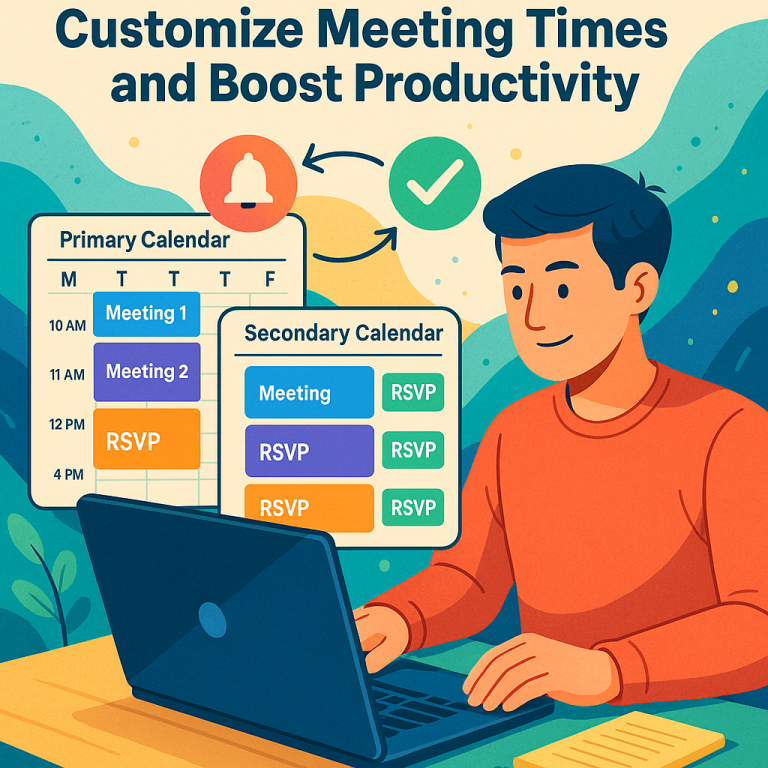
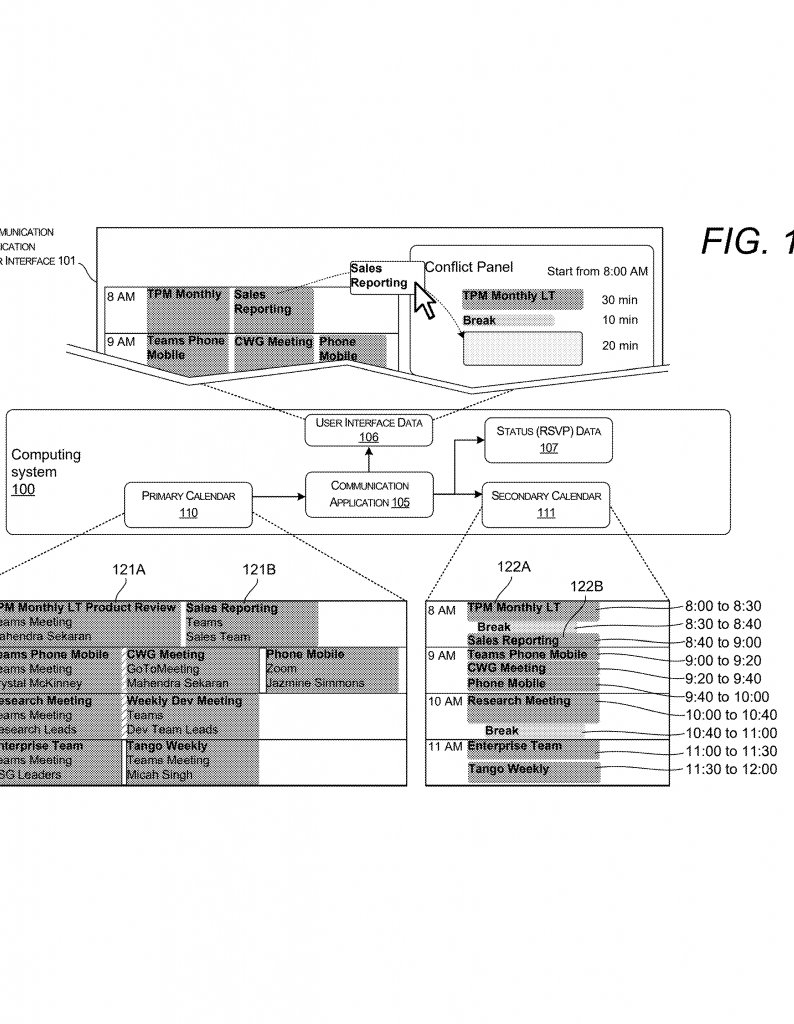
The core idea is to have two calendars: a primary calendar and a secondary calendar. The primary calendar is like what you use now. It has all the full meetings you’re invited to. The secondary calendar is new—it’s where you set up the exact parts of meetings you will join.
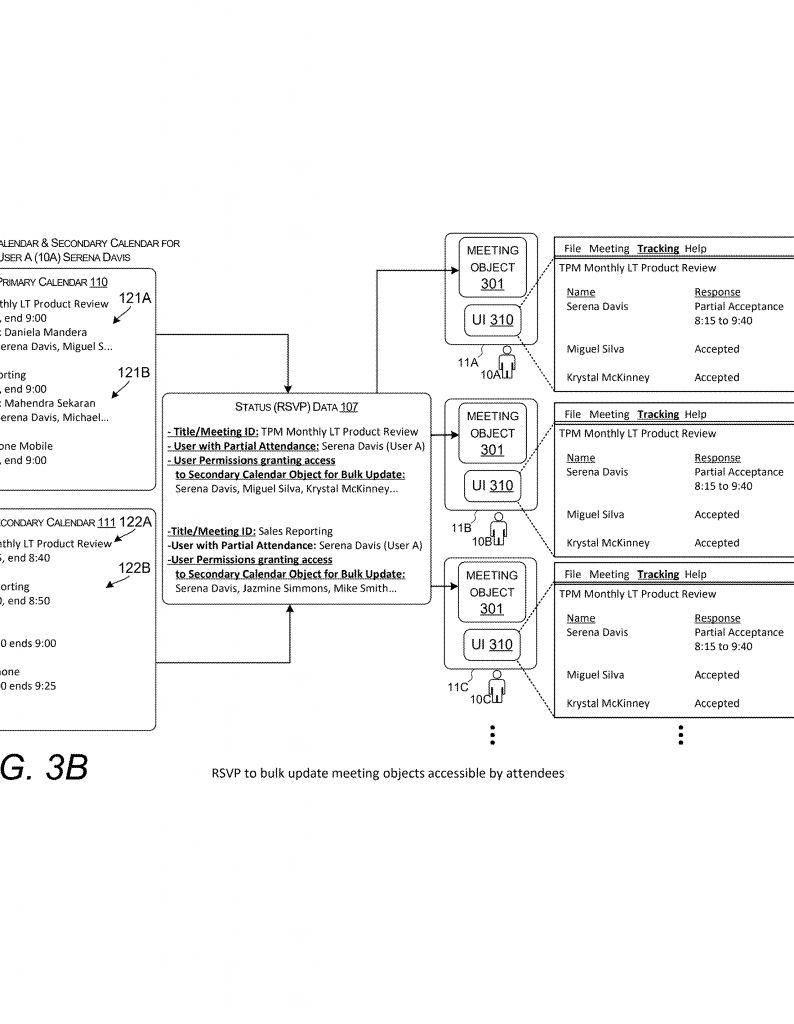
Let’s say you have three meetings from 8:00 to 9:00 AM. Instead of just saying “Yes” or “No,” you open up the new user interface. Here, you see all your meetings, just like before. But now, you can select any meeting and say, “I want to join only from 8:00 to 8:20.” You do this by dragging and dropping, typing in the times, or picking from templates. The system then creates a “secondary meeting object” that says you will join that meeting for just 20 minutes. You can do the same for the next meeting, maybe from 8:20 to 8:40, and so on.
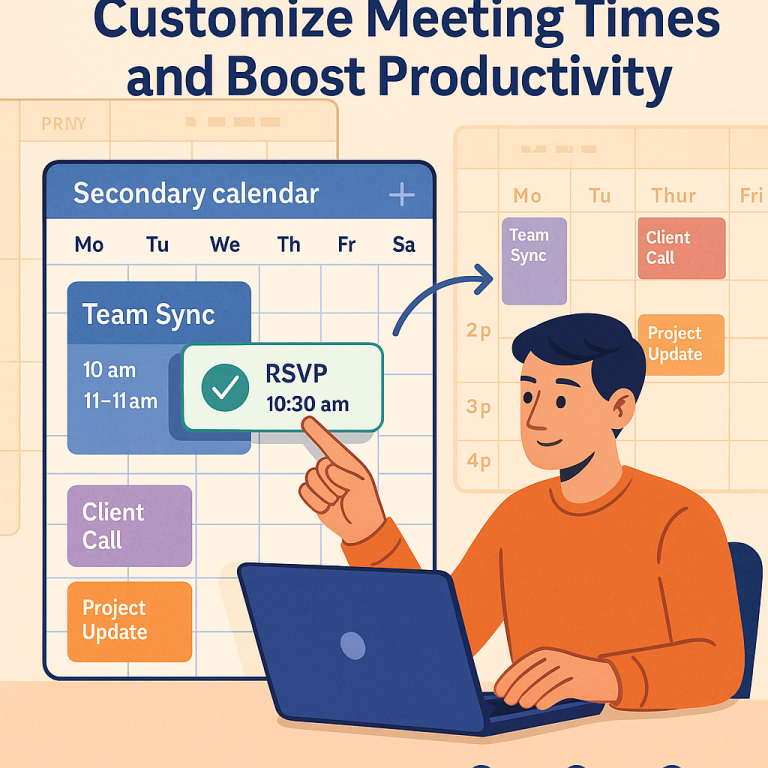
When you finish picking your times, the system saves all your choices in the secondary calendar. But it doesn’t stop there. It also sends out updates—called RSVP data—to everyone else in the meetings. Now, when people look at the meeting, they can see exactly when you’ll be there. No more guessing, no more missed messages.
Throughout your day, the system helps guide you. When you’re in a meeting, it watches the clock and gives you a little pop-up or notification: “You have 5 minutes left in this meeting.” Or, “Time to leave and join the next one.” If you forget, it can even move you to the next meeting automatically, or remind you again. This way, you always know where you need to be.
But there’s more. The system also manages permissions. Let’s say you only join a meeting for 20 minutes. You get access to files, chats, or video for just that time. This keeps things secure and makes sure you only see what you need. When your time is up, your access goes away, and you move to the next event.
The interface is built to be simple. You can use drag-and-drop to assign meetings to time slots. You can pick from templates—maybe you want four 15-minute meetings or two 30-minute meetings with a break. The system remembers your past choices, so if you often join the first 10 minutes of a team call, it suggests that for you next time.
Artificial intelligence also comes into play. The system can use your past meeting records, how long you usually stay, who you meet with, and even how active you are, to suggest the best way to split your time. It learns from your habits, so the more you use it, the smarter it gets.
All these features work across devices—your laptop, phone, or tablet. The notifications and updates show up wherever you are, so you never miss a meeting or forget when to leave.
What makes this invention really stand out is how it brings everything together. It’s not just about splitting meetings or sending reminders. It’s about making your day work for you, helping your team know when you’ll be there, and keeping everything clear and simple. By having both a primary and a secondary calendar, plus smart notifications and permission controls, you get a smoother, less stressful day.
Here’s a quick example to show how it works in real life:
Imagine you’re invited to three meetings, all at the same time. With this system, you open your calendar, pick each meeting, and set the exact 20-minute window when you’ll join. The system saves this, tells everyone else, and sets up reminders. When it’s time to switch, you get a pop-up so you’re always on track. Your team knows when to expect you, and you don’t have to juggle or explain anything. No more calendar chaos—just a clear, easy plan for your day.
Conclusion
We all want to do our best work, but sometimes our calendars just get in the way. This new invention offers a way out of the mess. By letting you choose exactly when to join each meeting, sharing your schedule with others, and keeping you on track with reminders and smart controls, it solves real problems that old tools never could. It’s easy to use, works with your habits, and keeps everyone in the loop. If you’re tired of double-booked meetings, missed calls, or just feeling rushed, this system could change the way you work for the better. It’s a simple, clear answer to a problem that’s only getting bigger—and it’s just what busy teams need today.
Click here https://ppubs.uspto.gov/pubwebapp/ and search 20250363461.